There are two methods to input payment information from a customer who calls in to make a payment.
1. Using the "Pay with Chargezoom" link
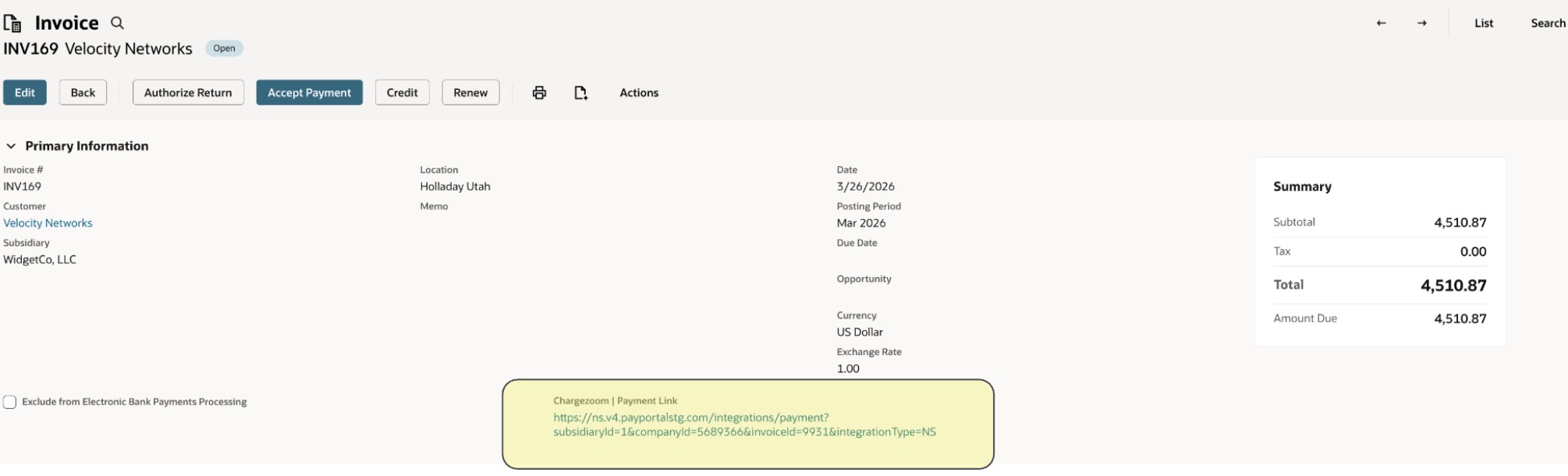
Locate the invoice the customer would like to pay. Click the "Pay with Chargezoom" link in the invoice, as shown below.
This will take you to a public payment page with the invoice and amount already populated, as shown below.
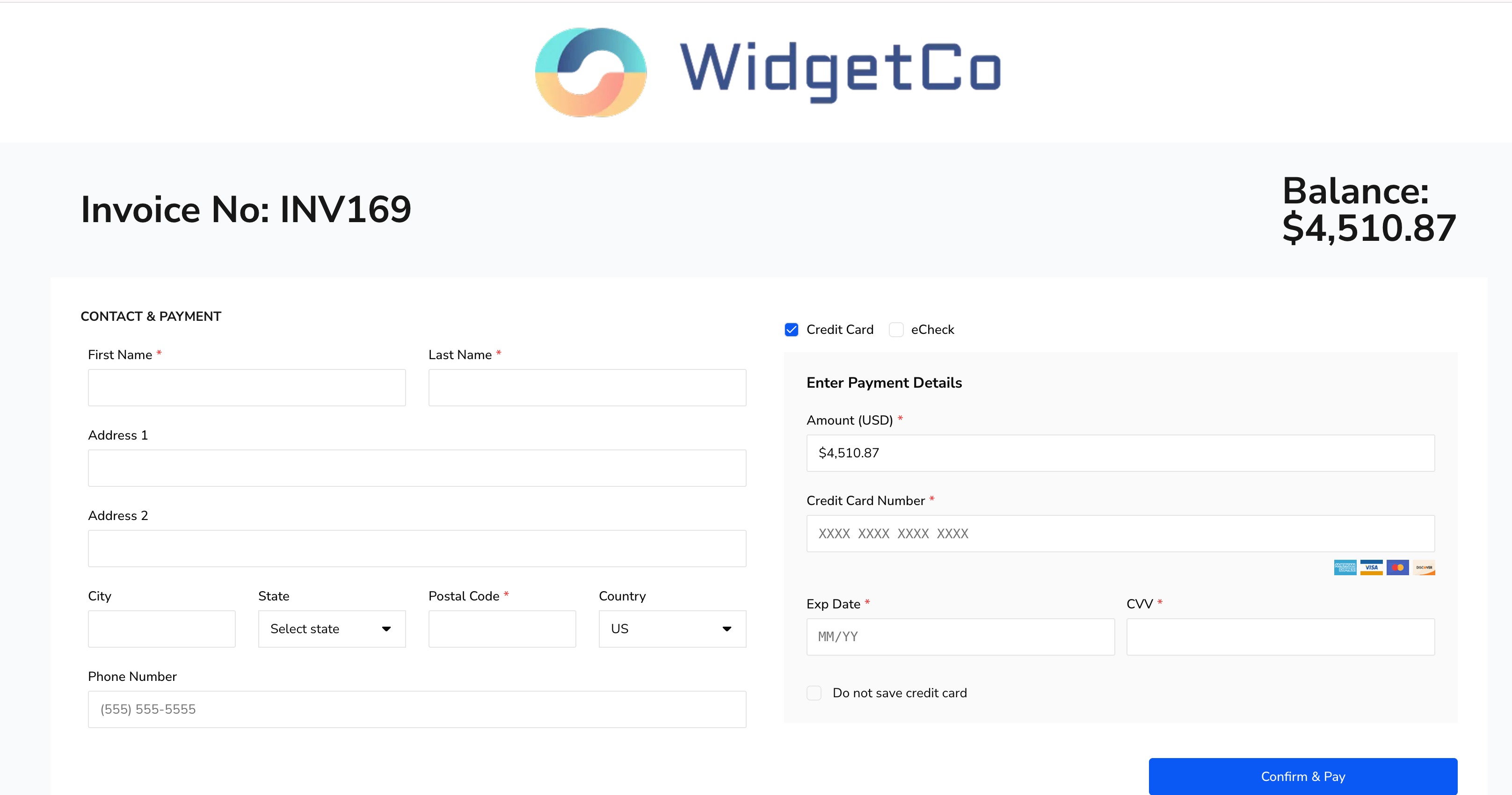
Here, you can enter the customer information to run a payment.
2. Use the Chargezoom Run Payment option
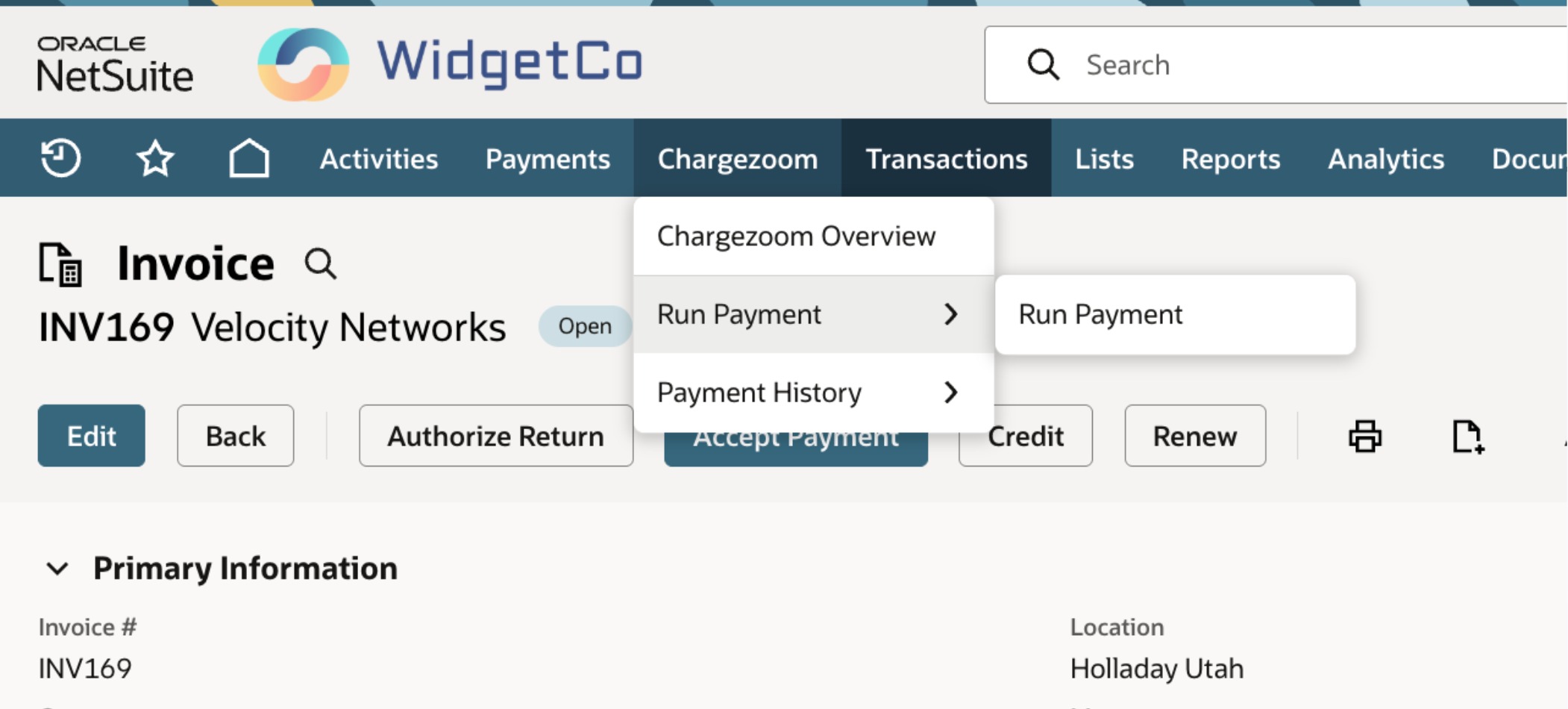
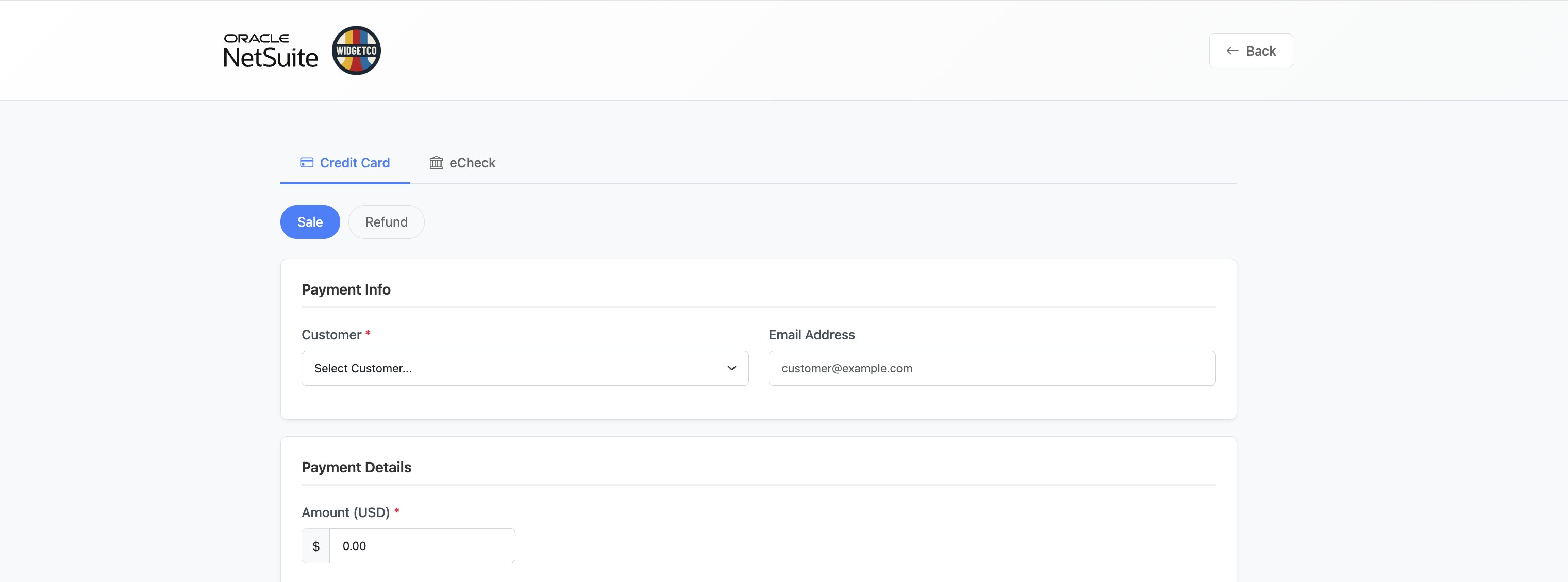 Select the customer from the dropdown (with red asterisk), and you will automatically see a list of their open invoices. Select the invoice they would like to pay and the amount the customer would like to pay. The amount defaults to the total due.
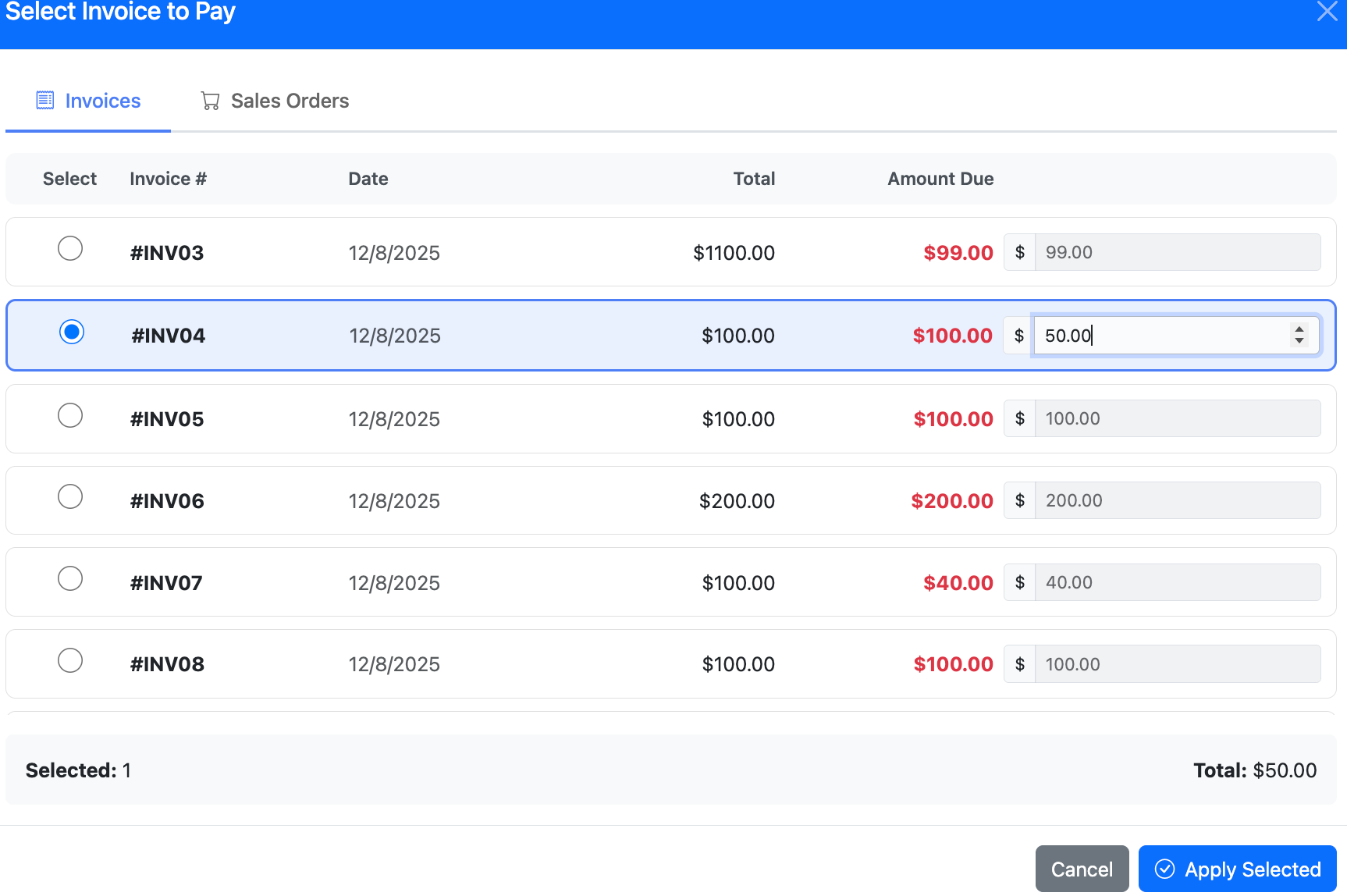
Click Apply Selected, then fill out the remaining customer information (Card Data, billing ZIP code), and finally click the Submit Payment button.
Was this article helpful?
That’s Great!
Thank you for your feedback
Sorry! We couldn't be helpful
Thank you for your feedback
Feedback sent
We appreciate your effort and will try to fix the article