FAQ: My payments and/or refunds are being put into the wrong accounts
Answer: You can change the default accounts in the Chargezoom Settings file.
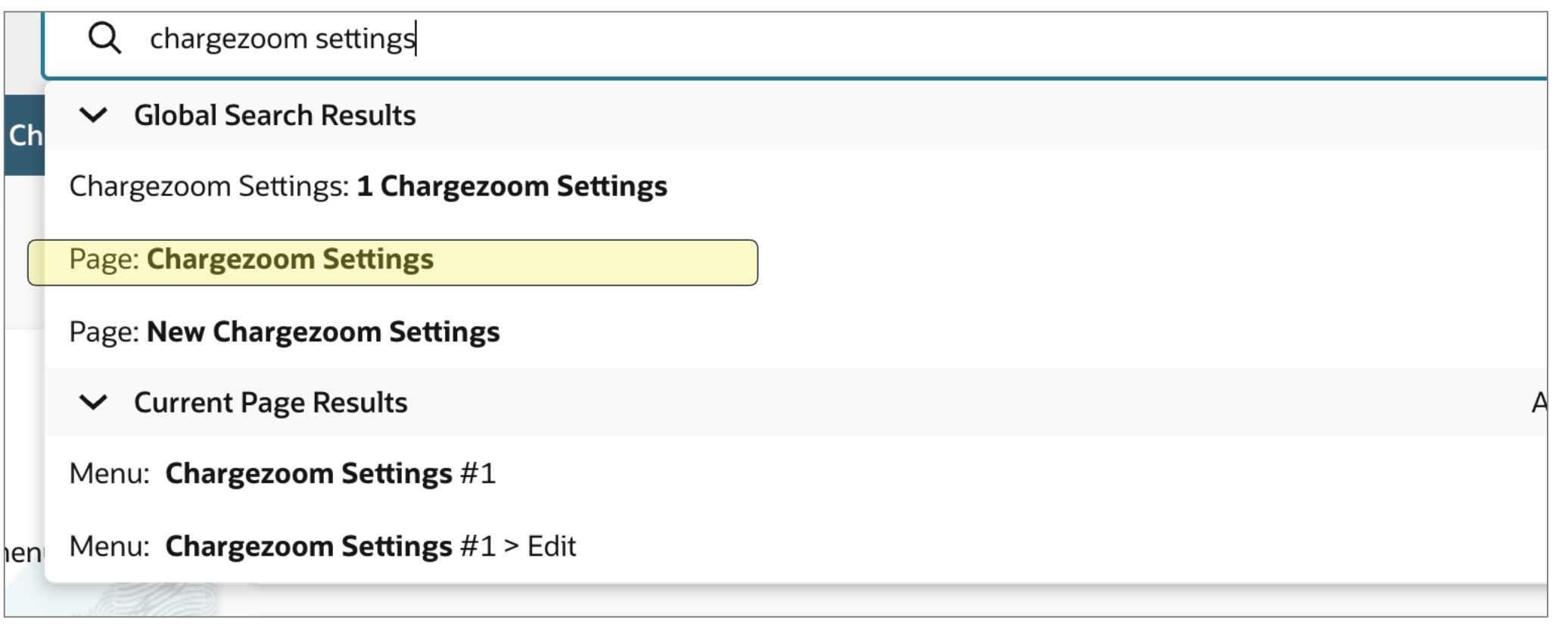
- In the universal search box, type "Chargezoom" and select the result "Page: Chargezoom Settings"
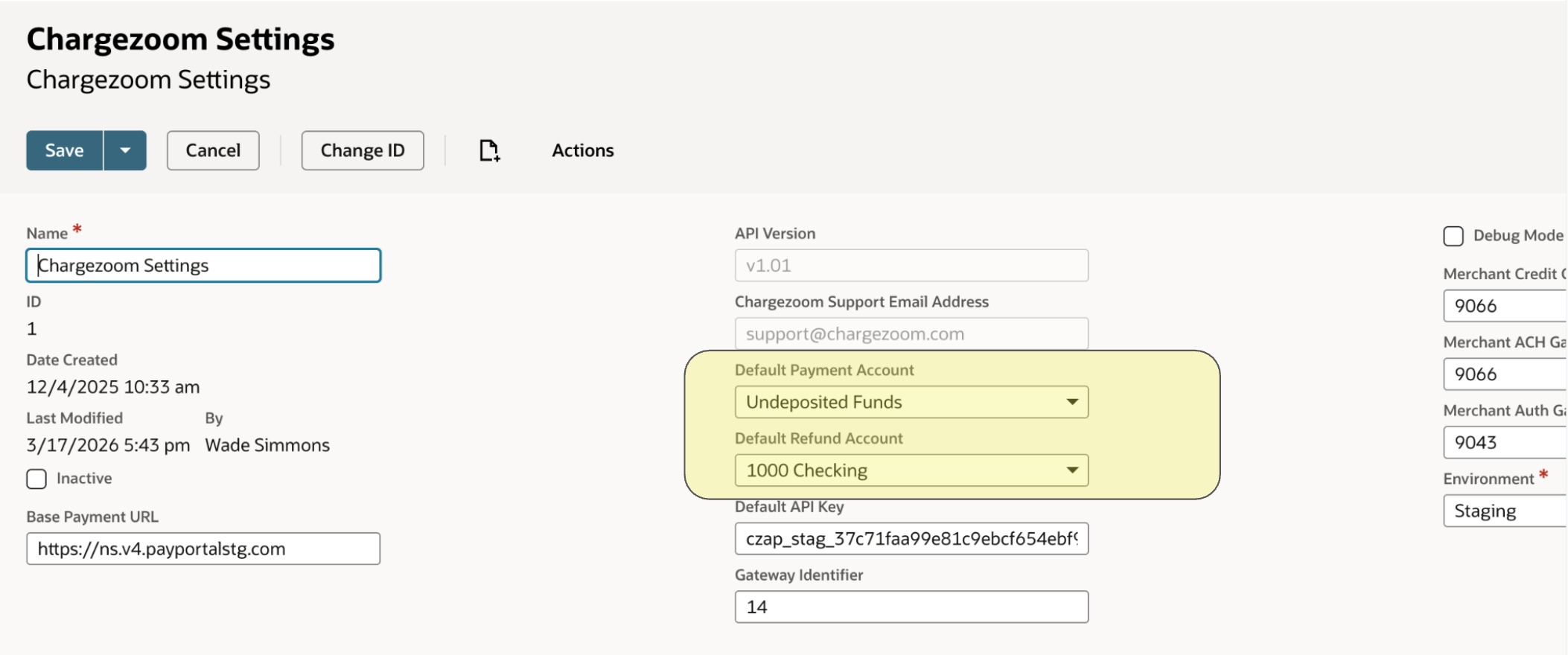
- Open this page in Edit mode, and find the default accounts that are highlighted in yellow, and click Save when done.
Definitions
Default Payment Account: Select the bank account where incoming customer payments will be recorded and deposited.
Default Refund Account: Select the bank account used to pay out refunds to customers.
Was this article helpful?
That’s Great!
Thank you for your feedback
Sorry! We couldn't be helpful
Thank you for your feedback
Feedback sent
We appreciate your effort and will try to fix the article